Create an account and sign in
Create an account
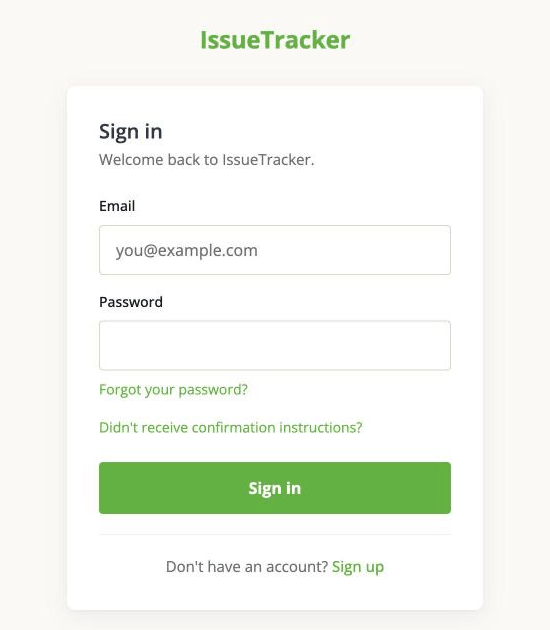
On the sign-in page, follow Sign up at the bottom.
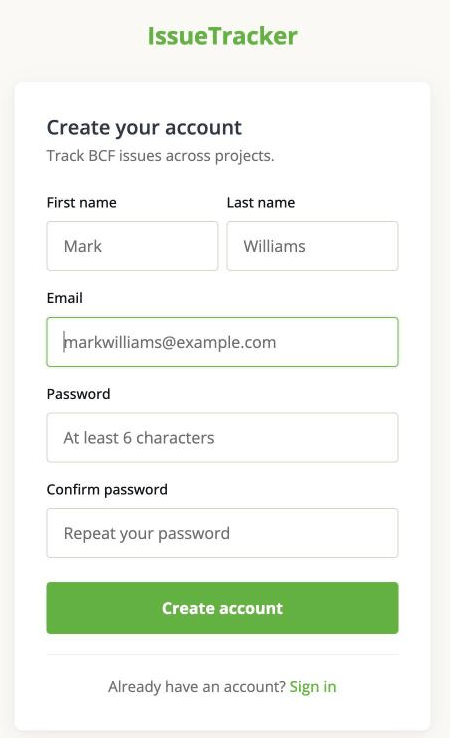
Fill in your first and last name, your email address, and a password - at least six characters, typed twice. Then click Create account. There is nothing else to fill in.
A confirmation email arrives straight away. Open it and follow the link before you try to sign in. Until you do, the account exists but is not usable.
If the email does not turn up, check your spam folder first. The sign-in page has a Didn't receive confirmation instructions? link that sends it again.
If somebody invited you
If a colleague added you to a project, you will have an invitation email instead of signing yourself up. Follow the link in it. That takes you to the project, and lets you create an account on the way if you do not have one.
You can only see projects you have been added to. There is no directory of other people's projects to browse.
Sign in and sign out
Sign in with the email address and password you registered.
There is no "remember me". Closing the browser ends the session, so you sign in again next time - deliberate, on a tool that holds project information.
To sign out, click your initials at the top right and choose Log out.
Forgotten password
Use Forgot your password? on the sign-in page. You get an email with a link that lets you set a new one, and the link works once.
If it never arrives, the usual reason is that the address you typed is not the one on the account. Ask whoever owns the project which address they added.
Set your name
Your name is what other people see on your comments and in the activity feed, so it is worth filling in properly. Click your initials at the top right and choose Profile.
The same page is where you decide whether the app emails you - see When the app emails you.