Create an issue
Click the green New issue in the top bar. It is there on both the list and the board, and on every screen size.
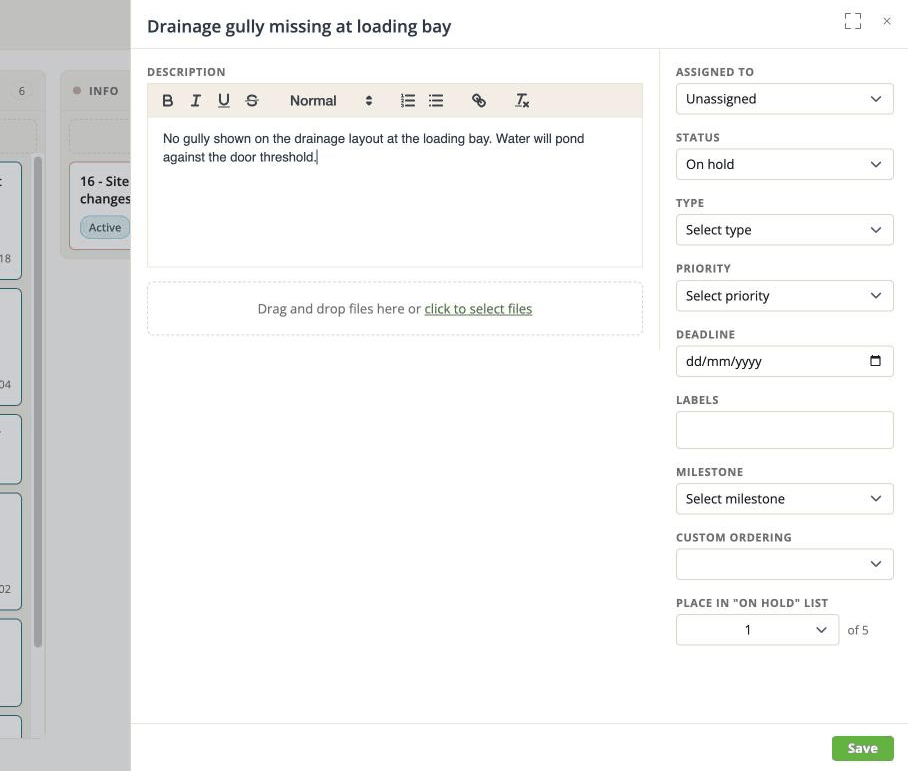
The only thing you must fill in
A title. Everything else can wait, and most of it is easier to fill in later anyway, once you know more.
Write the title as the problem, not the solution: "Duct clashes with beam, level 3, grid C4" rather than "move the duct". The title is what everybody scans in the list, and it is what somebody searches for in six weeks.
Click Save and the issue exists.
Then fill in what you know
Once the issue is saved, the fields on the right become useful. The two worth setting straight away:
- Assigned to - an issue with nobody's name on it tends to stay open.
- Status - so it appears in the right column on the board.
Everything else is described field by field in The issue panel.
Saving after that
Once an issue exists, changing a field saves it immediately - there is no second Save button for those. A small green Saved appears next to the title to confirm.
The description is the exception. It has its own green Save button underneath the editor, because a rich-text field that saved on every keystroke would be unusable. Write the description, then click Save.
This catches people out, so it is worth the sentence: if you type a description and close the panel without clicking Save, the description is gone. The other fields are fine.
Closing the panel
Cancel, or the close button, puts you back where you were. Nothing is lost - it was already saved.
Writing issues other people can use
A few habits that cost nothing and save a lot:
- Put the location in the title. Level, grid, room number. It is the first thing anybody asks.
- Write one line of description even when you attach a screenshot. The picture is invisible to search, to an AI assistant, and to somebody reading on a phone in the rain.
- One problem per issue. Two problems in one issue can only have one status, and it will be wrong for one of them.
- Use Labels rather than inventing a title convention. Labels can be filtered on;
[HVAC]at the start of a title cannot.