Activity: what changed and who changed it
The project's running log: what happened, when, and who did it.
Two ways in
The heartbeat icon in the top bar gives you a quick look without leaving the page. It drops open a small panel with the five newest entries, unfiltered, and a link to the full page. It is there at every screen size.
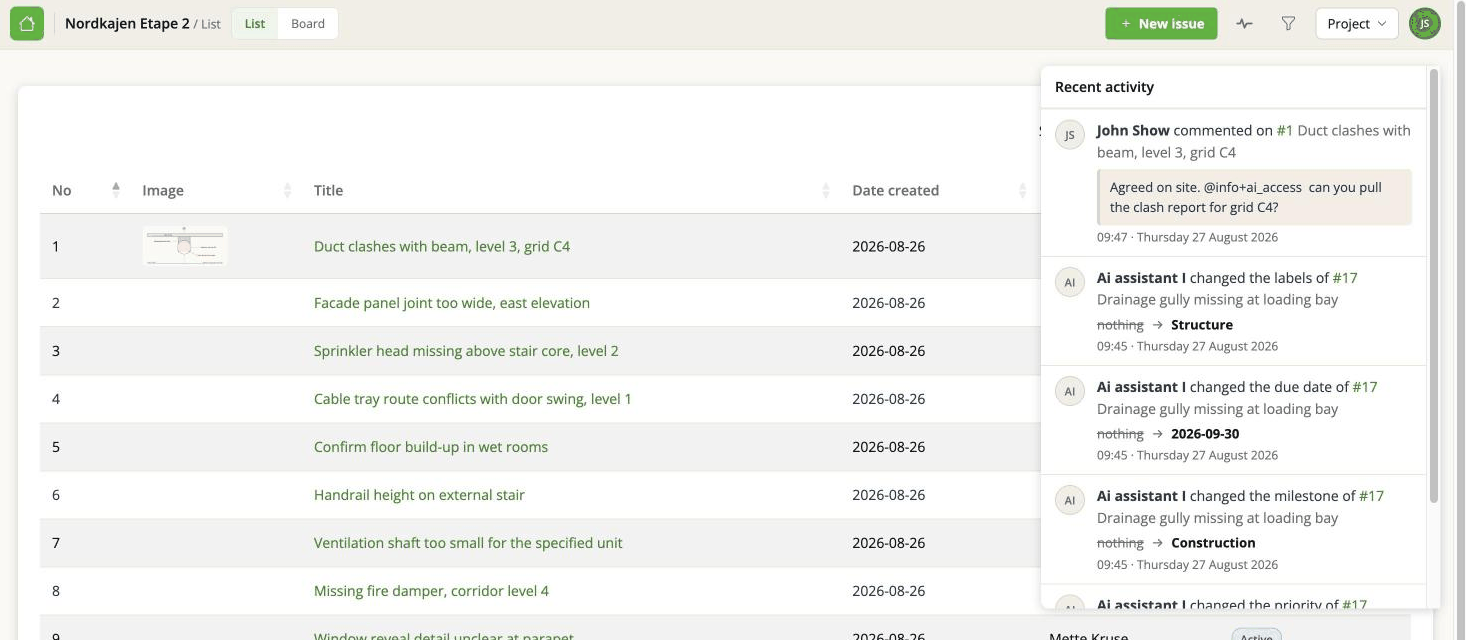
The full Activity page is behind See all activity in that panel. It shows 25 entries at a time and is where the filters live.
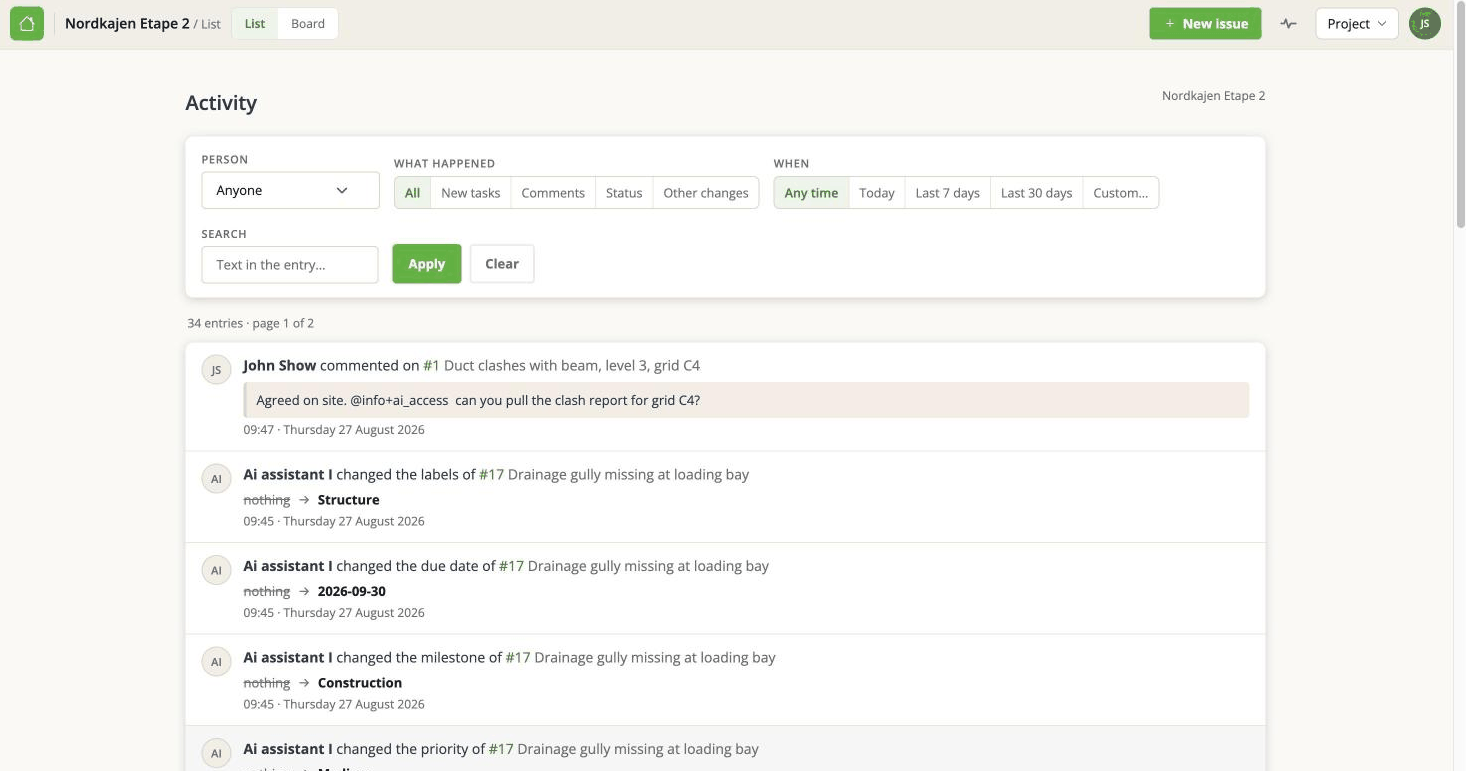
What is in it
Newest first, three kinds of entry:
- An issue was created - with the time and, where it is known, the person.
- Somebody wrote a comment - with the comment itself.
- A field was changed - what changed, from what to what, by whom.
Each entry links to the issue it belongs to, so you can jump straight there.
The automatic "changed Status from Active to Resolved" notes the app writes on an issue are left out, because the field change is already listed as its own entry. Otherwise every change would appear twice.
Filtering
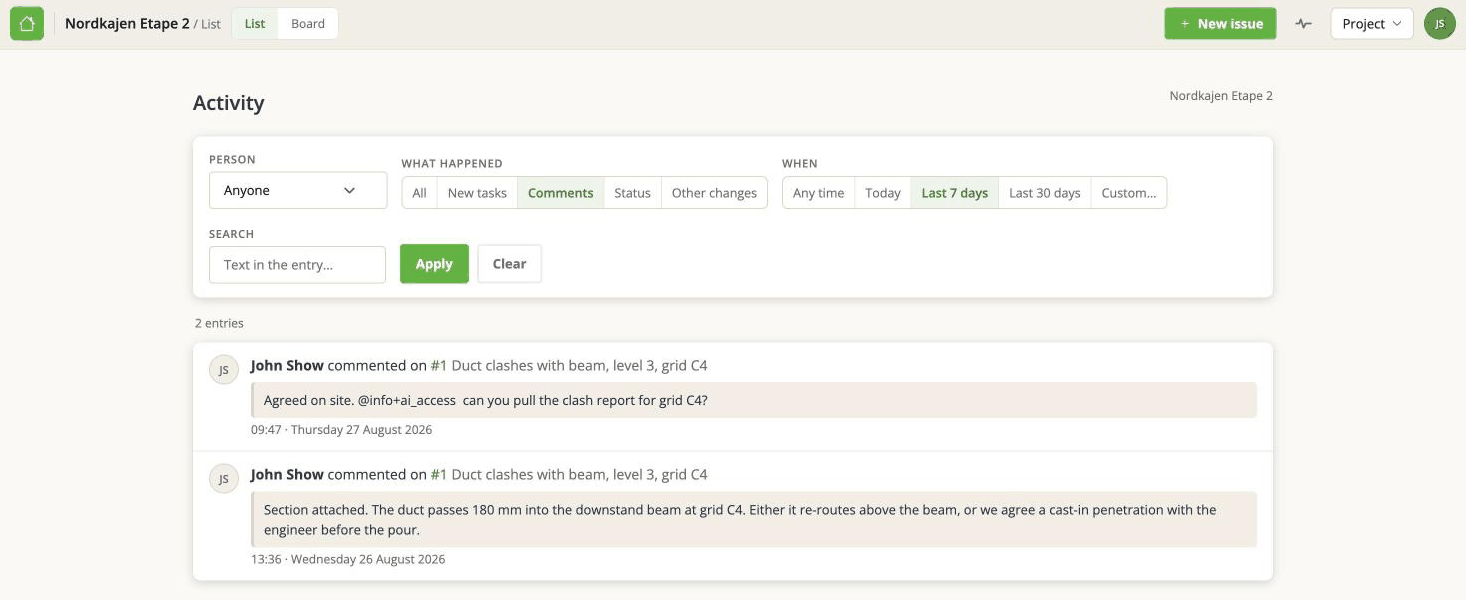
Four controls on the full page:
- Who - one person's activity. Note this is who did it, not who was mentioned.
- What happened - All, New tasks, Comments, Status, or Other changes.
- When - today, the last 7 days, the last 30, or a range you pick.
- Search - free text across the entries.
The filters are in the address bar. That means a filtered view can be bookmarked, or pasted to somebody else, and they see what you see. Worth knowing if you are chasing something with a colleague.
What it does not tell you
Who moved a card on the board. Changing a card's place is deliberately not recorded - see Board view and grouping.
Comment edits. If somebody rewrites a comment, the feed shows the original entry, not the edit.
Imports, issue by issue. A BCF import can touch hundreds of issues. Those changes are on each issue's own history, but the import is not summarised here as a single entry.
Anything from before the log existed. The feed is built from records that only started being written at certain points in the app's life, so a long-running project can look quieter in its early days than it actually was.
Activity, or the issue's own history?
Two different questions.
Activity answers "what has been happening on this project?" - it spans every issue.
An issue's own history answers "what has happened to this one thing?" - open the issue and look there. That is also what an AI assistant reads when you ask it what changed.
If an imported issue's history looks contradictory, that is expected and explained in Imported issues: dates and authors.