People on a project Project owner only
Open the project, then Project > Collaborators.
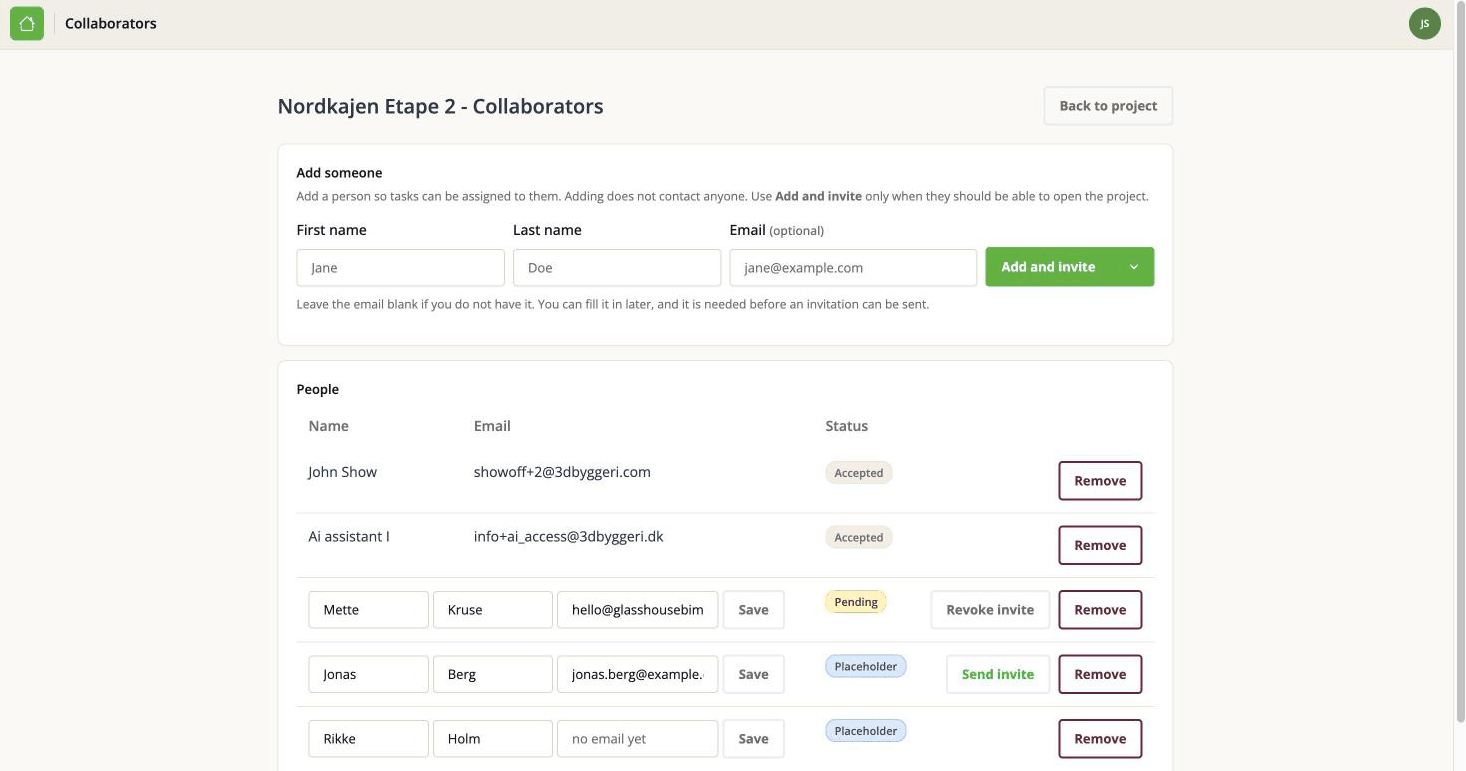
Two ways to add somebody, and the difference matters
Fill in a first name, a last name and - if you have it - an email address. Then choose one of two buttons.
Add and invite sends them an email. When they accept, they can sign in, open the project, and work on it like anybody else. This needs an email address.
Add without invite is behind the small arrow next to it. It adds the person to the project and contacts nobody. You can assign issues to them, and their name appears in the assignee dropdown, but they cannot open the project and they never hear from the app. We call this a placeholder person.
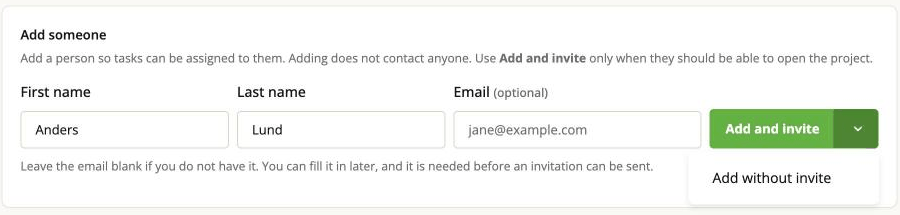
Placeholders exist because tracking work against somebody is a different question from giving them access. Two cases where you want one:
- An external consultant whose issues you are recording, but who does not use the tracker.
- The people who arrive with an imported BCF file. The file names whoever raised each issue, and the import adds them so that attribution survives - without emailing a stranger or letting them into your project.
The email address is optional. If you do not have it, leave it blank and fill it in later; you need one before an invitation can be sent.
The People table
| Status | What it means |
|---|---|
| Accepted | They have accepted and can open the project. |
| Pending | Invited, not accepted yet. Can be assigned issues in the meantime. |
| Placeholder | Added for reference only. No access, never contacted, can be assigned issues. |
Somebody can be a placeholder on one project and a full collaborator on another. The status belongs to the membership, not to the person.
Editing somebody
You can correct the name and email of a person who has no account - a placeholder, or somebody who has not signed up yet.
You cannot edit somebody who has an account. They own their own details, and change them on their own Profile page.
Filling in a missing email, then inviting
If you added a placeholder without an email, type it into their row and save. Add and invite will then work for them, and inviting a placeholder promotes them: their existing issues stay assigned to them, because it is the same person, not a new one.
Withdrawing an invitation
If you invited somebody by mistake, or they never accepted and no longer need to, revoke the invitation. That turns them back into a placeholder: nothing is deleted, they stay on the project, they stay assignable, and every issue and comment already attached to them is untouched. Only the pending invitation goes away.
Removing somebody
Removing takes the person off the project entirely. It does not delete the issues they raised or the comments they wrote - those stay where they are.
Issues that were assigned to them keep their name, but the person is no longer in the assignee dropdown, so you cannot assign them anything new until you add them back.
If you only want to withdraw access from somebody you still need to record work against, revoke the invitation instead of removing them.
Things that catch people out
- "I added them but they cannot open the project." They were added without an invitation. Send one from this page.
- "It says they are already on this project." One person can only hold one membership per project. Find their existing row rather than adding a second one.
- "It will not let me invite them." There is no email address on the person yet.
- Adding somebody does not notify them. Only Add and invite sends anything.