Board view and grouping
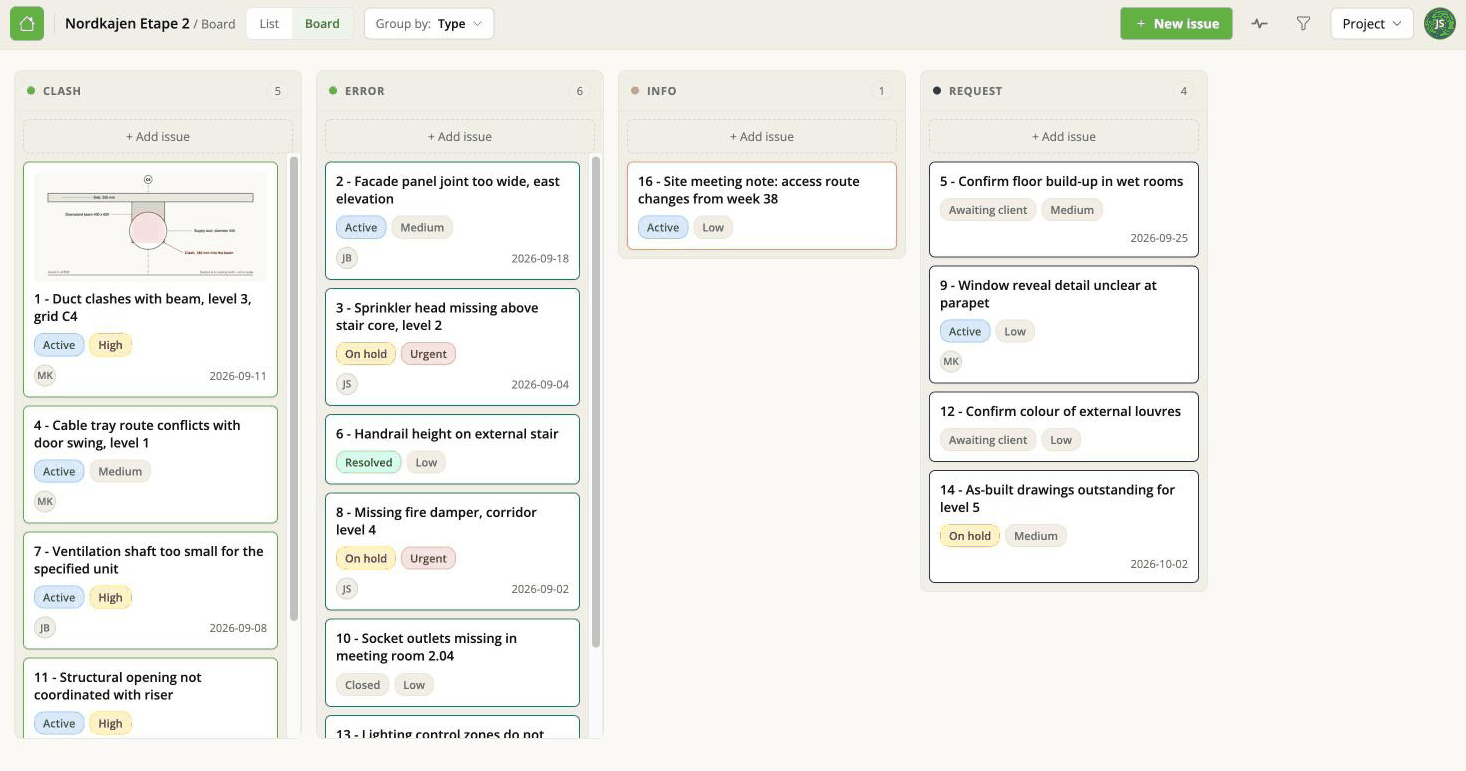
The board shows every issue as a card, arranged in columns. Switch to it with Board in the top bar.
Choosing what the columns are
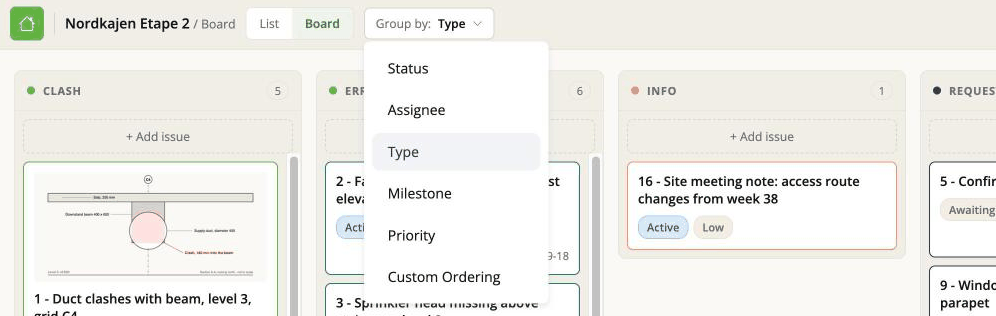
The Group by menu decides what the columns represent:
| Group by | Columns are | Useful for |
|---|---|---|
| Status | On hold, Active, Resolved, Closed, plus any your project added | The default. Where is everything up to? |
| Assignee | One per person on the project | Who is carrying what? |
| Type | Your project's types | What kind of problems are these? |
| Milestone | Your project's milestones | What is in this phase? |
| Priority | Low, Medium, High, Urgent, Modify | What should we do first? |
| Custom ordering | Columns you define yourself | See Custom columns |
Columns come from the project's own lists. If Type has no values, grouping by Type is not very interesting - fill them in under Project options.
Dragging a card
Drag a card to another column and the issue changes to match.
Which field changes depends on the grouping you are in. This is the thing to get straight, because the board looks identical either way. Grouped by Status, dragging changes the status. Grouped by Assignee, the same gesture reassigns the issue to somebody else. Grouped by Priority, it changes the priority.
If you find you have accidentally reassigned instead of resolved something, look at what Group by is set to.
What is on a card
The title, the key fields, and a thumbnail if the issue has an image on it. Clicking a card opens the issue panel over the board.
The screenshot comes from the newest image attached to a comment - or, for issues that arrived from another BIM tool, from the viewpoint that came with them.
Column counts update as soon as the move is saved, so the number at the top of each column is the number of cards under it.
The order of cards within a column
Dragging a card up and down inside its column sets its place in that column - a priority order you make by hand.
This is stored on the issue, not just in your browser. Everybody on the project sees
the same order, and it survives a reload. You can also set it without dragging: the
Place control in the issue panel gives the card a number, 3 of 17, which is easier than dragging when the list is long.
The API and an AI assistant can both read and change it, so "what is at the top of the list?" is now a question an assistant can answer.
Two limits to keep in mind:
- It does not go into an exported BCF file. It is this app's own field, not part of the BCF standard, so the tool at the other end of an exchange cannot see it. If the order matters to them, put it in Priority.
- Moving a card is not recorded. It does not appear in the issue's history or in the activity feed, and it sends no email. So "who moved this card?" has no answer anywhere. That is deliberate - reordering a board would otherwise fill the history with noise - but it is worth knowing before you go looking.
There is one order per issue, shared by every grouping. Reordering the cards while grouped by Status changes the same field you would be changing while grouped by Assignee.
Filters apply here too
Whatever you have set in the filter panel narrows the board as well as the list - the same filters, the same values. See Filters, search and sorting.
An empty column usually means "nothing has that value", but it can also mean "your filter is hiding it". Worth checking before concluding a milestone has no work left in it.