List view
A table of every issue in the project. This is where a project opens.
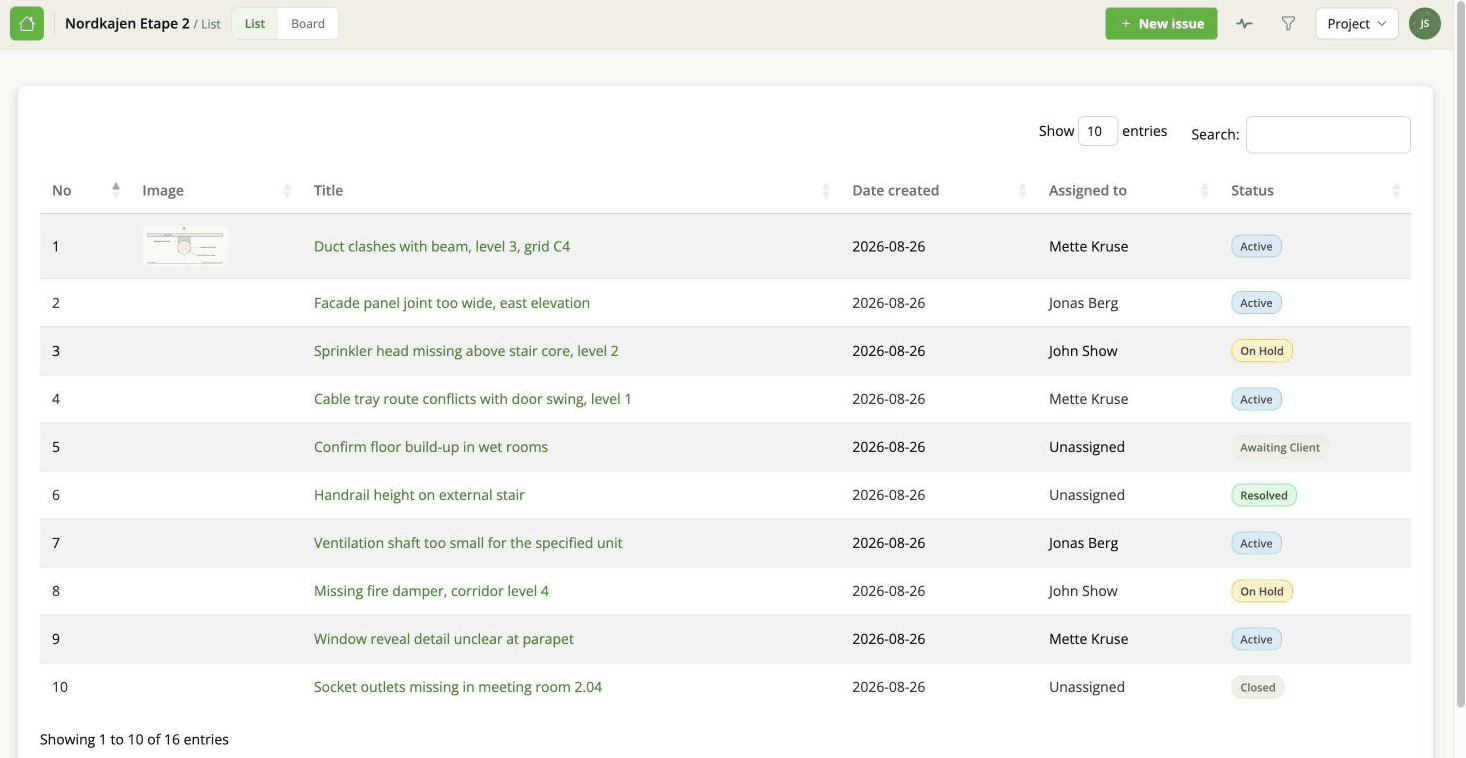
Use the list when you want to scan a lot of issues at once, sort by something, or see several fields side by side. Use the board when you want to see where work is stuck, or to change something by dragging it.
What you see
Out of the box: the issue's number, a thumbnail if it has an image, the title, when it was created, who it is assigned to, and the status as a coloured pill.
Clicking a row opens the issue panel over the list.
Showing more columns
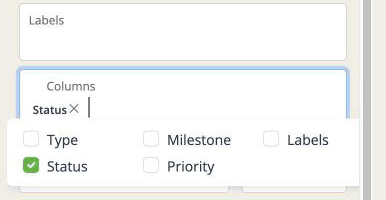
Open the filter panel with the funnel in the top bar and use Columns to tick the ones you want. Your choice is remembered for that project.
The picker offers five: Type, Status, Milestone, Priority and Labels. Status is ticked to begin with, which is why the list opens with a status column.
The other fields - Deadline, Custom ordering, Created by, Updated - are not available as columns. To see those, open the issue, or export and read the file.
Sorting
Click a column heading to sort by it, and again to reverse it. You can also set the sort in the filter panel, which is easier when the column you want to sort by is hidden.
Priority sorts sensibly, not alphabetically. Urgent comes above High, which comes above Medium - rather than High, Low, Medium, Modify, Urgent, which is what a plain alphabetical sort would give you.
Searching
The search box above the table narrows to rows containing what you type, across every column - including the hidden ones. It is the fastest way to find one known issue.
For anything more structured - everything of one type, everything overdue - use the filters.
How many rows
Ten at a time by default, with page numbers underneath. The dropdown next to the search box goes up to 500, or All if you want to scroll rather than page.
All on a project with thousands of issues will be slow. It is a browser drawing every row, not a server problem.
An empty list
If it says No issues yet, the project genuinely has none.
If it looks emptier than it should, a filter is hiding something. Look at the chip row above the table: it names every active filter and says how many issues they are hiding. See Filters, search and sorting.
On a phone
The table scrolls sideways at the moment, which is workable but not comfortable. A stacked layout is planned.
The board is generally the friendlier view on a small screen.